A record that shows where the record stops.
Paste your raw incident log — chat excerpts, terminal scrollback, rough notes — and get a structured timeline. Every gap in the record is marked explicitly, and nothing is silently discarded.
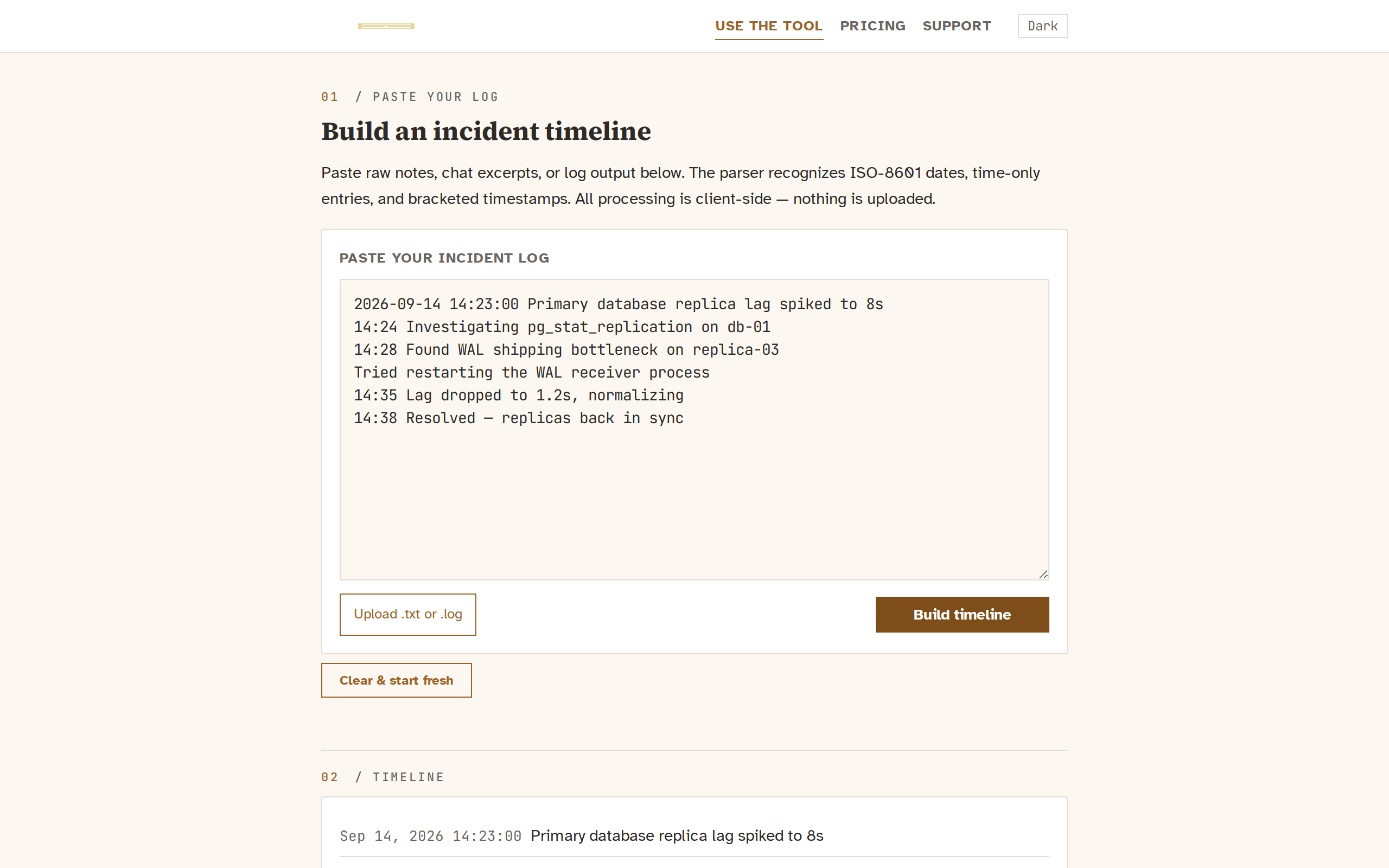
One paste turns chaos into a clear chronology.
An incident response produces a mess of messages: copies from Slack threads, terminal scrollback, fields from a war room, notes typed after the fact. That raw material is valuable — but it is not a timeline.
Gapsnap reads that text and pulls out every event that carries a timestamp, arranging them in order so you can see what happened when. Lines without recognizable timestamps are not silently dropped: they are collected in their own section, labelled explicitly so nothing is lost.
All processing happens in your browser. The text never touches any server. There is no account, no upload, no data stored anywhere.
Your incident notes, restructured — without leaving your browser.
The tool reads plain text and recognises seven timestamp formats — ISO-8601 with T, ISO-8601 with a space, date+time without seconds, HH:MM:SS, HH:MM, bracketed [HH:MM]/[HH:MM:SS], and bracketed [YYYY-MM-DD HH:MM:SS]. Time-only entries are resolved against the most recent absolute date seen, so a Slack excerpt that says “14:23 doing X” after a dated entry lands at the right moment.
Every gap visible, nothing smoothed over.
The output is a document, not a dashboard. Each event sits at its timestamp. Between events, any gap longer than five minutes is shown as a dashed marker with its duration — so the reader sees exactly where the record falls silent.
Events get action badges — Tried, Changed, Observed, Investigated, Resolution — based on the language in each line. These are heuristic and shown plainly; they are never presented as certain.
Lines that cannot be placed — no recognizable timestamp — are collected in a separate section rather than discarded. The label reads: “These lines had no recognizable timestamp. They are shown here rather than discarded, so nothing is silently lost.”
A tool this focused should be this accessible.
The full tool — timeline parsing, gap detection, markdown export, clipboard copy, file upload — is available for free, entirely in your browser. There is no account to create, no data to submit, no tier that unlocks a feature that is already built.
Clear about what it does not know.
A postmortem that invents a confident narrative is worse than one with honest blanks. This tool is built around what it refuses to do:
- Connect to any monitoring system, pager, or alerting pipeline
- Run a playbook, page anyone, or suggest a next action
- Send email, alerts, digests, reminders or scheduled reports
- Store your data on any server — nothing leaves your browser
- Call an external LLM or AI service of any kind
- Fill in or infer missing information — gaps are shown as gaps
- Support user accounts, saved history, or shared timelines
These are not omissions planned for a future release. They are the product's deliberate boundaries: it formats what it is given and shows where the record falls silent, and that is all it does.
You could write the timeline yourself. Here is why you won’t.
The objection is fair: a postmortem timeline is not hard to start. You open a document, you type what happened. The hard part is not the typing — it is making sure nothing is missing, that timestamps are not misremembered, that the minutes between events are acknowledged rather than collapsed into a seamless story.
A tool that simply formats what you already wrote adds nothing. A tool that silently fills in the gaps adds worse than nothing — it gives you a confident narrative built from data you did not record.
Gapsnap does neither. It takes the record you have and shows its shape — the dense passages, the long silences, the lines you pasted that belong to a different conversation. That shape is what a good postmortem starts from, and it is what disappears when you write the timeline by hand from memory.
Paste your next incident log and see what a structured timeline reveals.
No sign-up, no server upload, no AI. Just your notes, sorted, with every gap marked in plain sight.